Seven Search Console Impressions? Check the Chart Against the Visible Queries
Use one fictional seven-impression report to check the scope, visible queries, difference and comparison dates in Google Search Console.

 My AI Search Report
At a glance
Seven describes the report scope, not seven visitors. Check the dates, filters and grouping, then record both the chart and visible-query values.
In this guide
Seven Google Search impressions means Search Console counted seven impressions in the scope you selected. Before interpreting that number, write down the property, report, dates and filters. Seven impressions for one page over a week is a different observation from seven for the whole property on one day. Neither tells you how many people visited.
Capture the scope that produced seven
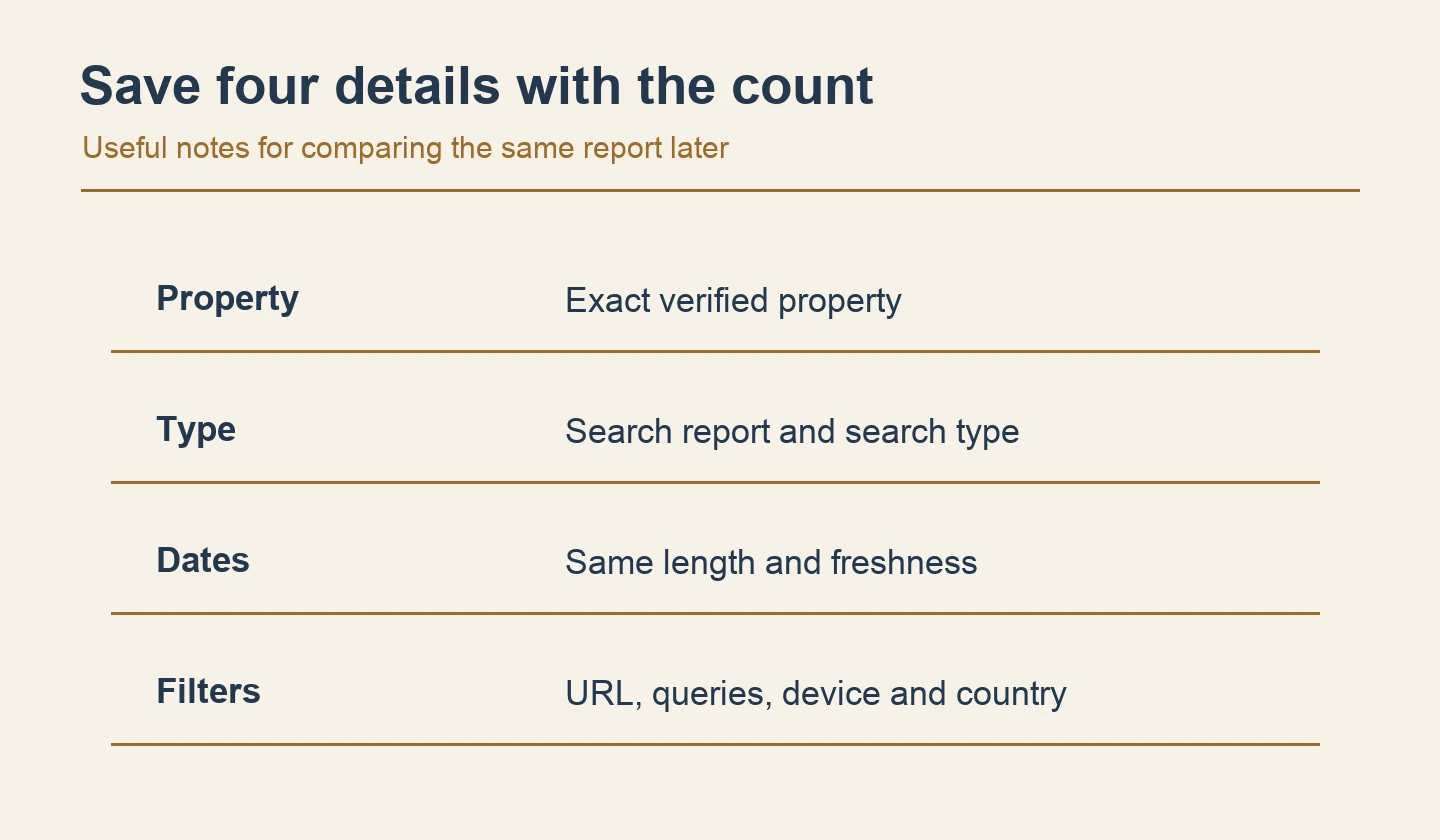
Open Performance for Search results and check the search type. Write down the date range, country, device and any page or query filter. Then note whether you are reading the chart, a page row or a query row. Keep those details with the number. Search Console can group results by property or page, which changes what is counted once.
Use a finished date range when comparing with an earlier period. If the report indicates that the newest data is preliminary, wait for a complete comparable range or keep the status beside the number.
Sources: Performance report: About the data · Performance report: Advanced filtering and comparison
Compare the chart with the visible queries
Take a fictional Search results report filtered to one URL across seven completed days. The chart shows seven impressions and no query filter is applied. The first visible query row shows two impressions and the second one. The visible query rows add to three. The four-impression difference is unallocated in this view.
Search Console excludes some low-volume queries from its tables for privacy. It can also limit rows. The chart therefore does not promise a visible row for every impression. Filtering by query also changes whether those anonymized impressions are included. Adding an include filter and its inverse may still fail to recover the unfiltered total.
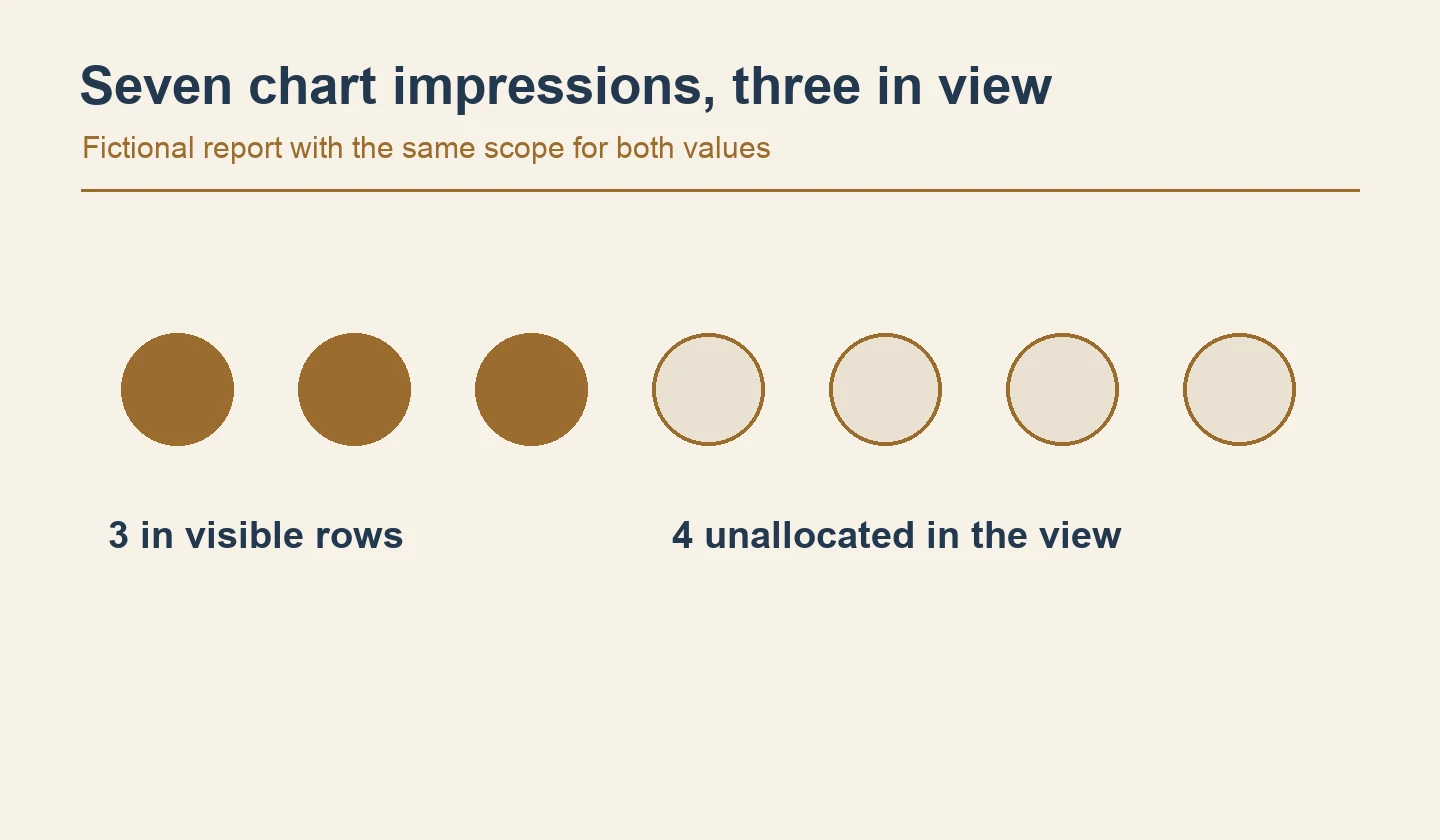
Two values from the same fictional scope
Chart: seven
Total impressions in the chosen Search Console view.
Visible queries: three
Two visible rows add to three. Four remain unallocated in the view.
Check the handling of anonymized queries in Search Console performance data filtering and limits.
Sources: Google Search Central · Google Search Console Help
Keep the unknown search terms unknown
Record the difference alongside the settings that produced it. Do not give the unallocated impressions to your target keyword or label them AI citations. If another colleague opens the report, ask them to reproduce the same scope before investigating a discrepancy. A raw export of the displayed queries can omit the same information.
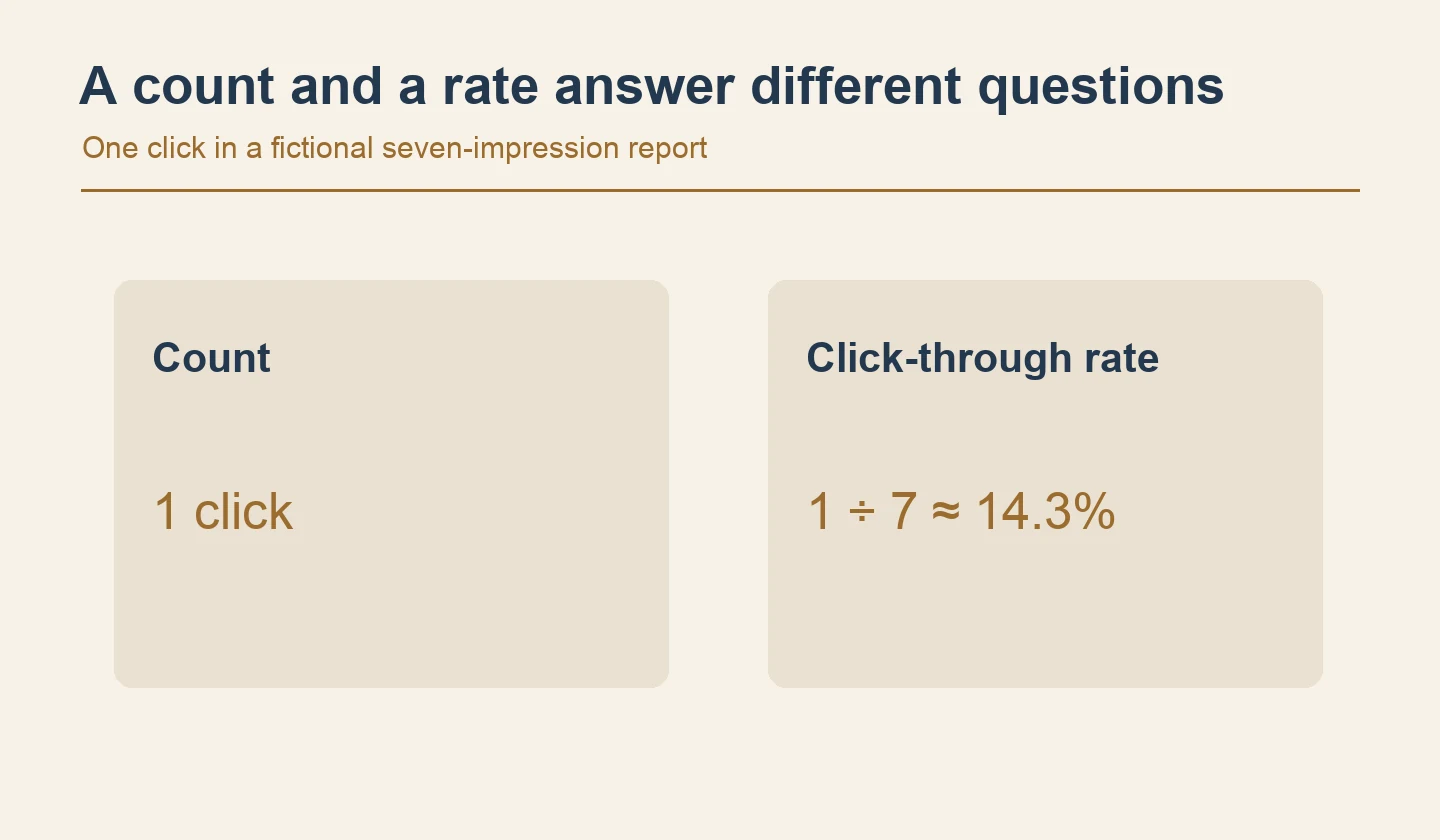
Clicks remain a separate measure. In this fictional scope, one Google Search click divided by seven impressions would be about 14.3% CTR. With such small counts, one click makes a large difference to the percentage. Keep the counts visible whenever you quote it.
Sources: Google Search Central · Google Search Console Help
Compare like with like next time
Compare the same URL, report type, filters and complete period length. Watch for a grouping change after opening a Pages or Search appearance view. If you look at Analytics too, start a separate note for sessions or views. Search impressions, website sessions and observed citations are different events collected by different systems.
Before comparing two reports
- Keep property, search type and filters fixed.
- Use complete reporting days.
- Record chart and visible rows separately.
- Save the scope beside the number.
Review filtering and comparison settings in Performance report: Advanced filtering and comparison.
Sources: Performance report: About the data · Performance report: Advanced filtering and comparison
Save one line another reader can reproduce
Use a record like “one URL, Web Search, seven completed days, seven chart impressions, three impressions across visible queries, four unallocated here.” Attach the property and filters. Reopen the same report after another comparable window and use the query rows that are actually available. The record should let you tell a visibility change from a scope change.
| Record | Value | Meaning |
|---|---|---|
| Chart | 7 impressions | Report total |
| Visible query rows | 2 + 1 = 3 | Impressions across the displayed rows |
| Difference | 7 − 3 = 4 | Unallocated in this view |

For the related task, see Separate AI citations from mentions.
Sources: Google Search Console Help · Google Search Central
Frequently asked questions
Does seven impressions mean seven visits?
An impression is a Search Console visibility count in the report scope. Use separate metrics for clicks and website sessions.
Why do query filters affect the total?
Google excludes anonymized queries when filtering by query. Other reporting limits can also affect the rows you can see.
Should I compare a preliminary day with a completed one?
Use completed comparable periods for a trend. Record preliminary status if you need to inspect the latest partial figures.
Can I use this count as evidence that AI tools cited me?
Keep it as Search Console evidence. Check citations with a source that specifically measures them.
My AI Search ReportRead how impressions are counted
Keep clicks, website sessions and visibility separate.
Review what an impression countsContinue with a related guide
- Read how impressions are counted
Keep clicks, website sessions and visibility separate.
- Separate AI citations from mentions
Use evidence that actually reports the action you are describing.
- Compare two audits with common coverage
Use matched conditions when comparing AI visibility checks.
References
- Performance report: About the data Google Search Console Help
- Search Console performance data filtering and limits Google Search Central
- Performance report: Advanced filtering and comparison Google Search Console Help